Step 1
第 1 步
Install the extension
安装扩展
Add TagPeek from the Chrome Web Store, then pin it so you can open audits from any Etsy listing tab.
从 Chrome 网上应用店安装 TagPeek,并固定到工具栏,以便在任意 Etsy 商品页打开体检。
Three steps — same wording as the extension quick-start card.
三步 —— 与扩展内快速开始卡片文案一致。
Step 1
第 1 步
Add TagPeek from the Chrome Web Store, then pin it so you can open audits from any Etsy listing tab.
从 Chrome 网上应用店安装 TagPeek,并固定到工具栏,以便在任意 Etsy 商品页打开体检。
Step 2
第 2 步
For privacy, TagPeek only reads the current page when you click the icon. It does not have permission to read all websites.
为保护隐私,TagPeek 只在你点图标时读取当前页面。它没有读取所有网站的权限。
Step 3
第 3 步
Read the audit, then fix 🔴 → 🟠 → 🟢 in that order
看完体检结果,按 🔴 → 🟠 → 🟢 的顺序改
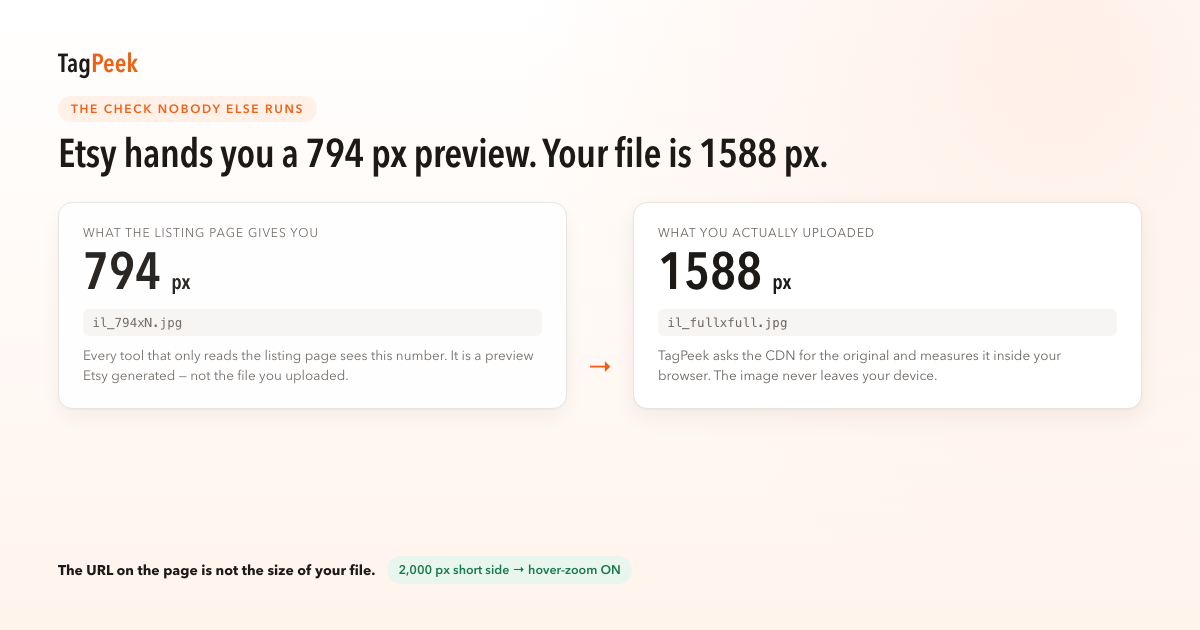
🔴 Critical items are often photo rules buyers feel first — for example in our tests hover-zoom is unavailable when the shortest side is under 2000px (Etsy recommends ≥2000px), or judging zoom from the 794px preview instead of your file.
🔴 致命项常常是买家最先感知的图片规则 —— 例如我们实测最短边不足 2000px 时悬停放大不可用(Etsy 官方建议 ≥2000px),或把 794px 预览当成原图。
Six listing audits per day, forever free. No registration and no card required.
每天 6 条 listing 体检,永久免费。不用注册、不用绑卡。
No. The free tier does not ask for an email.
不用注册。免费版连邮箱都不需要。
TagPeek only reads the current page when you click the icon. It does not have permission to read all websites — that is intentional.
TagPeek 只在你点图标时读取当前页面。它没有读取所有网站的权限 —— 这是我们故意的。
No. All pixel detection runs in your browser.
不会。所有像素检测在你浏览器里完成。
Each row in the fix list has an edit link that opens that listing’s Etsy edit page. See the layered fix list for how rows are sorted.
修复清单每条都有「去改」直链,跳到 Etsy 编辑页。排序方式见分层修复清单。