Why is Etsy hover zoom not working?
为什么悬停放大不工作?
Usually the uploaded file's shortest side is under 2000px, or you are judging zoom from a downscaled CDN preview instead of the master image.
常见原因是上传图最短边不足 2000px,或误把 CDN 预览当成原图。
Etsy recommends at least 2000px on width and height. In our tests, hover-to-zoom is unavailable below 2000px on the short side — all-or-nothing, not a softer zoom.
Etsy 官方建议宽高至少 2000px。我们实测发现:短边低于 2000px 时悬停放大不可用 —— 全开或全关,不是变糊。
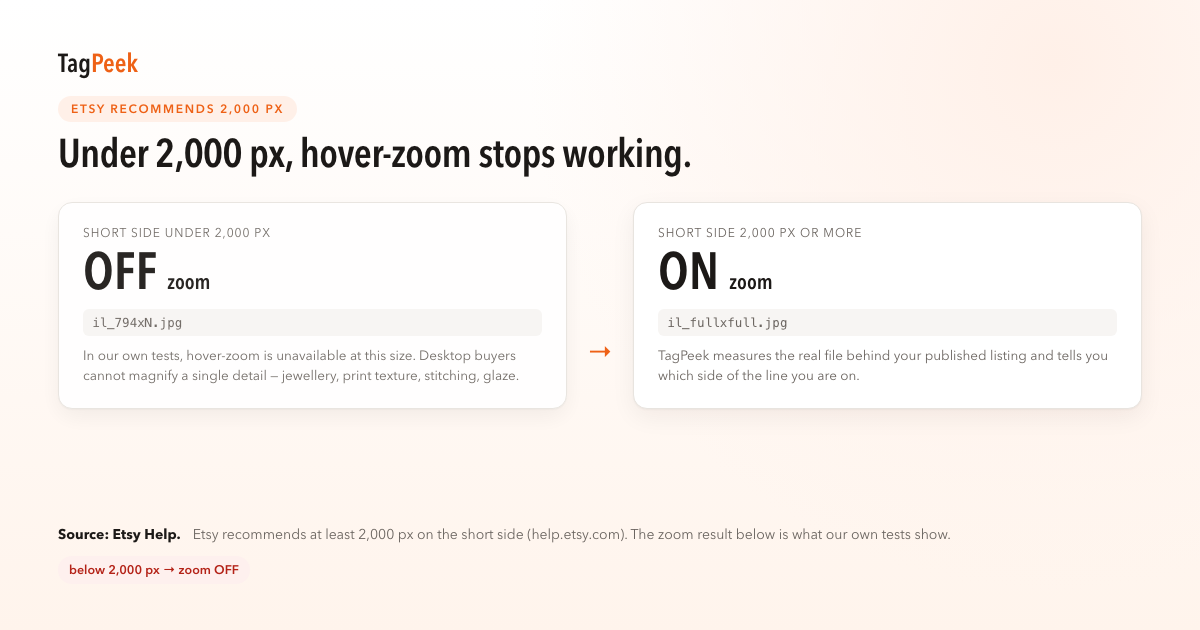
Buyers on desktop expect to magnify detail on jewelry, prints, and textiles. Etsy Help recommends listing photos of at least 2000px. Separately, our tests show hover-zoom is unavailable when the uploaded file’s shortest side is under 2000px.
TagPeek flags that observation on the page you have open, with a link to Etsy Help wording in our Rule 01 note.
In our tests, hover-to-zoom is all-or-nothing. There is no partial credit for 1990px — and Shop Manager does not always surface the failure.
Common false passes come from measuring CDN previews (794px embeds or il_2000xN URLs) instead of the stored master — see Rule 06 and Rule 07.
Before you edit listings in bulk, test one hero with the free local checker, re-upload once, wait for CDN refresh, then re-audit the live URL. TagPeek records score changes when we can re-read the same listing.
We align checks with Etsy Help text; we do not scrape marketplace-wide statistics or estimate orders from enabling zoom.
桌面买家习惯放大看细节;最短边须达 2000px。
TagPeek 在打开的 listing 页标注 zoom 关闭并链到规则 01。
勿用 CDN 预览误判;见规则 06、07。
Usually the uploaded file's shortest side is under 2000px, or you are judging zoom from a downscaled CDN preview instead of the master image.
常见原因是上传图最短边不足 2000px,或误把 CDN 预览当成原图。
Etsy evaluates the file you upload. Upscaling can pass the pixel check but may look soft; TagPeek also surfaces blur heuristics on local files.
Etsy 评估实际上传文件;放大可能过像素关但显糊,本地检测有模糊启发式。
Yes where Etsy exposes full-size URLs on the page; otherwise use the local checker on your export file.
在页面暴露 full URL 时可以;否则请对导出文件做本地检测。