Does TagPeek upload my photos?
TagPeek 会上传我的图片吗?
No. The free website detector processes files locally. The extension reads image URLs Etsy already serves on your listing page.
不会。免费网站工具在浏览器本地处理;扩展读取 listing 页上 Etsy 已提供的图片 URL。
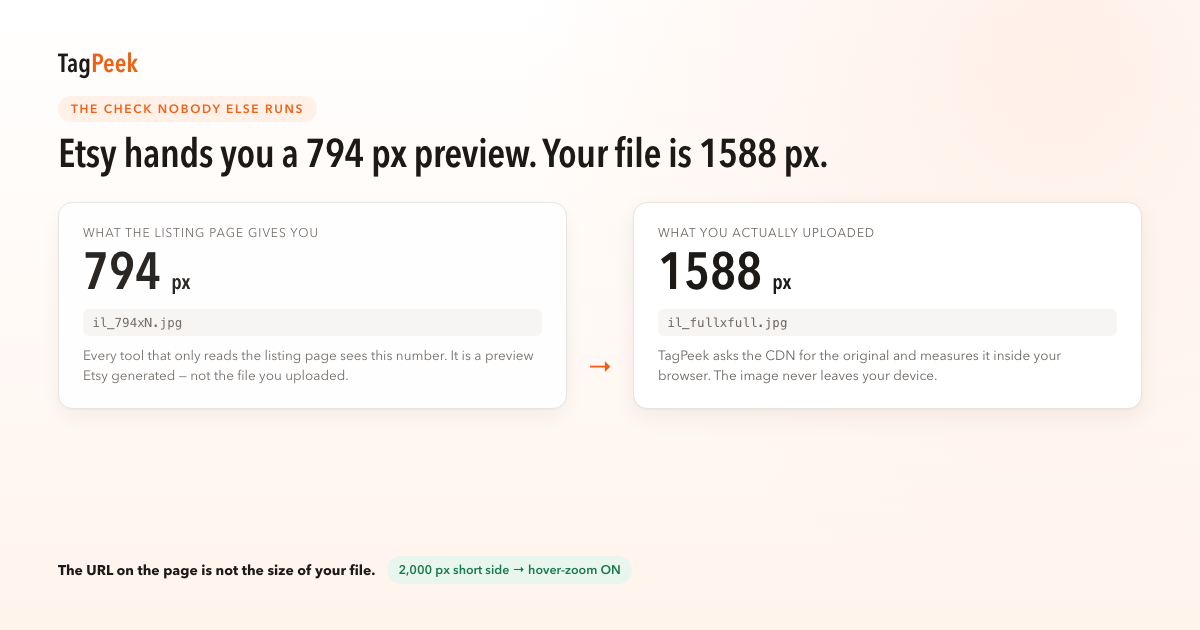
TagPeek reads real file pixels on your listing — not the 794px preview Etsy embeds in the page.
TagPeek 读取 listing 上的真实像素 —— 不是 Etsy 嵌在页面里的 794px 预览。
Your hero image drives search thumbnails and buyer trust. Etsy publishes clear floors for the first photo and for hover-to-zoom. TagPeek scores what buyers actually see: shortest-side pixels, whether zoom is enabled, and how your art fills the square crop.
The free website detector at tagpeek.com processes files locally — nothing uploads. The Chrome extension reads image URLs Etsy already serves on your listing tab and resolves toward full-size masters when the page exposes them, avoiding the 794px embed trap in Rule 06.
Workflow: run the local checker on exports before upload, publish, then open the same listing in Chrome and click TagPeek to confirm zoom and first-photo pixels on the buyer view.
When a photo fails, the fix list links to Etsy edit pages and our rule notes so you know which published requirement failed — not a generic “improve SEO” hint.
首图影响搜索缩略图与买家信任。TagPeek 针对买家所见打分。
网站端本地检测不上传;扩展在 listing 页读取 URL 并尽量解析 full 尺寸。
No. The free website detector processes files locally. The extension reads image URLs Etsy already serves on your listing page.
不会。免费网站工具在浏览器本地处理;扩展读取 listing 页上 Etsy 已提供的图片 URL。
No. The 794px CDN preview in the DOM is not your master file. TagPeek resolves toward full-size URLs where Etsy exposes them.
不够。DOM 里的 794px 预览不是原图;TagPeek 尽量解析 full 尺寸 URL。
No. TagPeek reports verifiable compliance with published photo guidance; we do not predict rank or revenue.
不能。我们只报告是否符合公开图片指引,不预测排名或收入。